The Blog Brief Template We Use: Free for Bangladeshi Marketing Teams
Pujan Kumar Saha · · 9 min read · Updated
Key takeaways
- The blog brief has 12 fields: focus keyword, secondary keywords, search intent, audience, SERP notes, information gain, sources, outline with word targets, internal links, FAQ, visuals and metadata.
- Information gain, the one thing a post adds that top results do not, is the field that prevents me-too posts and should be written in one sentence before drafting.
- List sources in the brief before drafting, with a link for every statistic, so unverifiable numbers never reach the draft.
- Keep the brief to one page, give each field an owner (editor, writer or both), and reuse the same page as the pre-publish checklist.
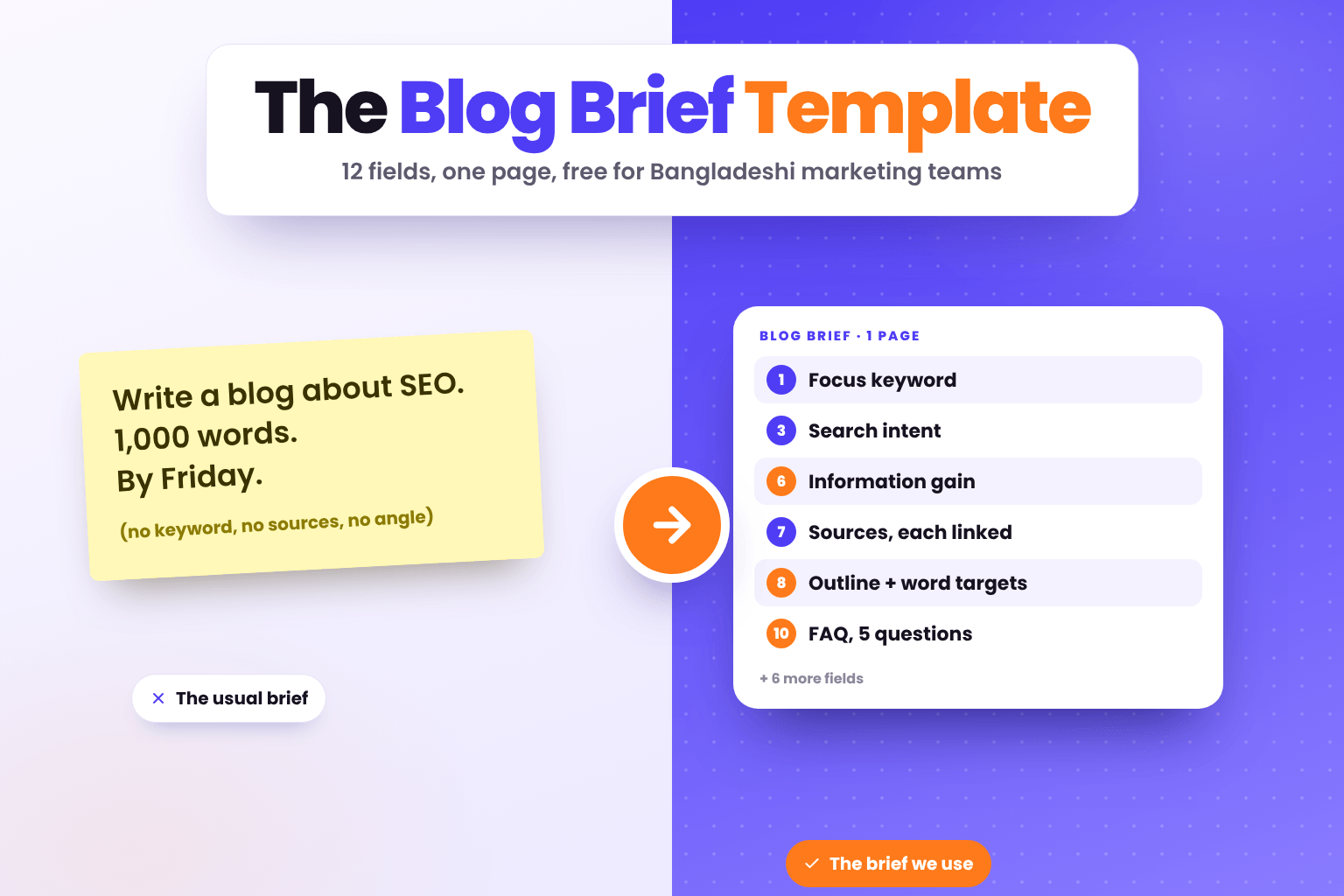
The short answer: a blog brief is a one-page plan you write before anyone drafts a post. Ours has 12 fields: focus keyword, secondary keywords, search intent, audience, SERP notes, information gain, sources, outline with word targets, internal links, FAQ, visuals and metadata. Fill every field, and a writer can draft without asking you a single question. Below is the template, a filled-in real example and a copy-paste version, free for any Bangladeshi marketing team.
Most blog problems I see in Dhaka marketing teams are not writing problems. The writer is fine. The brief was a title and a deadline, so the post repeats what the top five Google results already say, claims numbers nobody can trace, and ends with a generic call to action. A proper brief fixes that before the first sentence exists. This is the one we use at Algomindz, with the reasoning behind each field.
What Is a Blog Brief and Why Use One?
A blog brief is the instruction sheet for one post. It states what the post must answer, for whom, what evidence it must use, how it is built and how it will be found. Content agencies publish many versions; one guide on 13 content brief fields that matter and others agree on the core: keyword, intent, SERP analysis, outline, internal links and a differentiating angle. The templates are mostly vendor blogs, so each shows its maker's approach, but the core set repeats.
The case for writing one is practical. Google's guidance on helpful, reliable, people-first content asks you to make clear who created a page and how, and to write for people, not for search engines. Those are decisions, and a brief is where you make them once, in writing, instead of discovering them in a late edit.
It also helps a team that changes. If your writer leaves in Ramadan, the next one picks up the brief and the standard stays. A ZoomInfo roundup attributing figures to the Content Marketing Institute's 2025 research puts the share of B2B marketers with a documented content strategy at 37%; other reports quote higher numbers from the 2026 survey, so check the year before you repeat any of them. Either way, many teams still work without a written plan.
The 12 Fields in Our Blog Brief
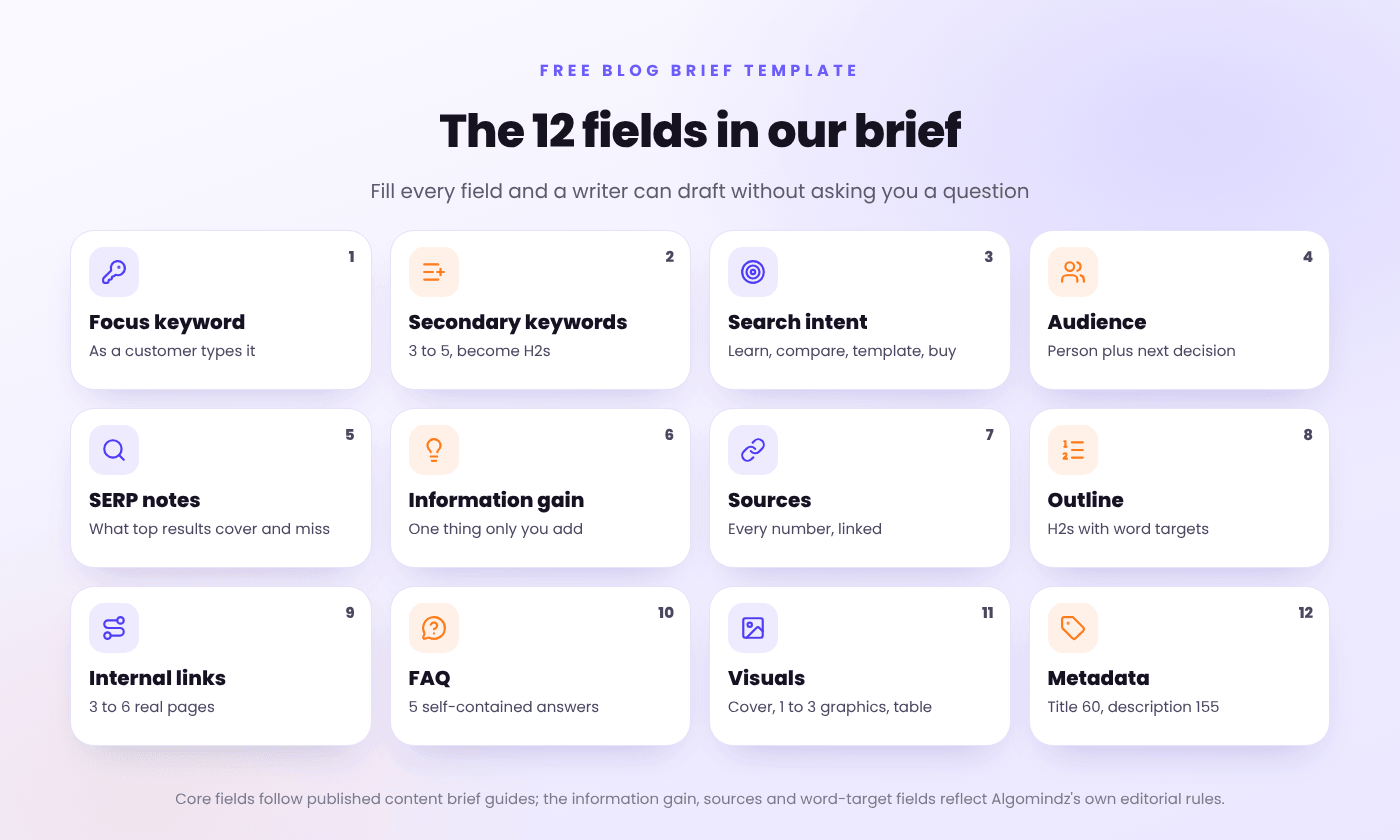
Here is the full list at a glance. Each row is one field in our brief, what goes in it, and what it protects you from.
| # | Field | What to write | Protects you from |
|---|---|---|---|
| 1 | Focus keyword | One phrase, as a customer types it | A post that targets nothing |
| 2 | Secondary keywords | 3 to 5 phrases that become H2 headings | Keyword stuffing |
| 3 | Search intent | Answer, compare, buy or learn | Writing the wrong format |
| 4 | Audience | Who reads it, and what they decide next | Generic tone |
| 5 | SERP notes | What the top results cover and miss | Copying competitors |
| 6 | Information gain | One thing this post adds that none has | A me-too post |
| 7 | Sources | Real statistics, each with a link | Invented numbers |
| 8 | Outline | H2s with a word target each | Rambling sections |
| 9 | Internal links | 3 to 6 real pages with anchors | Orphan posts |
| 10 | FAQ | 5 questions, self-contained answers | Missed long-tail queries |
| 11 | Visuals | Cover plus 1 to 3 infographics | A wall of text |
| 12 | Metadata | Meta title, description, author, date | Weak snippets |
Fields 1 to 4: Keyword, Intent and Audience
Start with one focus keyword, written the way a customer types it, not the way a marketer names it. "Blog brief template" beats "content planning documentation". Add three to five secondary keywords and plan to use them as H2 headings, since a heading is where a reader and a search engine both look for the topic.
Then name the search intent in plain words: is the reader trying to learn something, compare options, find a template or buy? This one field decides the format. A person searching "blog brief template" wants something to copy, so the post needs a template early, not a history of content strategy.
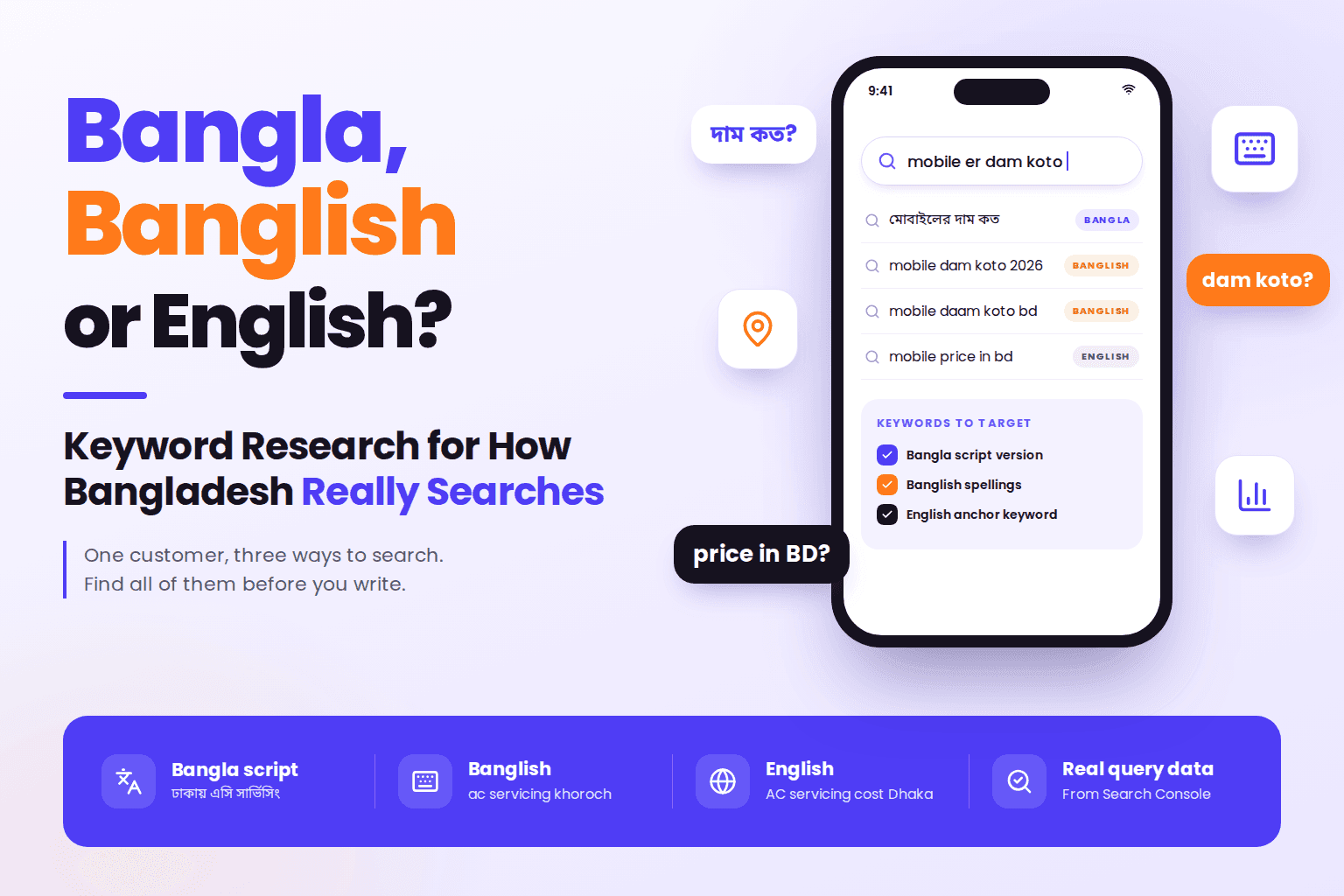
Write the audience as a person with a decision, such as "a marketing manager at a Dhaka SME who must brief a freelancer this week". For Bangladeshi audiences, also decide the language. Our post on decide whether to write in Bangla, Banglish or English explains how to choose, and the brief should record the answer, so the writer does not guess.
Fields 5 and 6: SERP Notes and Information Gain
Before drafting, search the focus keyword and note what the top results cover. Guides to briefs suggest pulling the top three pages, noting their heading structure and recording what they cover and miss. Our step-by-step method for ranking on Google page one uses the same habit.
Then write the information gain: one useful thing your post will add that none of those pages has. For us it is usually one of three things: a Bangladeshi angle (taka figures, local platforms, Banglish phrasing), first-hand experience from client work, or a format nobody offered, such as a copy-paste template. If you cannot write this field in one sentence, the post is not ready to be written, and that is the cheapest moment to find out.
Field 7: Sources and Statistics
Every number in a post should come from a page you can link to, written next to what it means for the reader. The brief should list the sources before drafting, so the writer collects evidence first and writes second. Where a figure cannot be verified, it becomes a cited range or comes out.
This discipline matters more than it looks. Search two content marketing roundups and you will find the same survey quoted with different percentages, which is exactly how an unchecked number slips into a post. Our rule: link the page that states the figure, say if the data is regional, and never publish a money figure in taka without a source or a clear label such as "typical range".
Fields 8 to 10: Outline, Links and FAQ
For the outline, list the H2s and give each a word target. We write the answer to the main question in the first 100 words, in 40 to 80 words that stand on their own, and keep 120 to 180 words between headings so each section reads cleanly alone. A section that wants 600 words usually wants to be two sections.
Choose three to six internal links in the brief, to real pages only, with at least one service page, and write the anchor as a descriptive phrase, never "click here". Finish with five FAQ questions pulled from what people actually ask, each answered in two or three sentences that make sense without the article. Our guide to answer engine optimization strategies shows why answer-first writing is quoted more often by AI tools.
Fields 11 and 12: Visuals and Metadata
Decide the graphics in the brief, not after the draft. We plan a cover plus one to three infographics, each telling one idea, such as a checklist, a comparison or a cost range. A table also counts as a visual, and every post should have one.
Metadata is the last field: a title of 60 characters or fewer including the brand, a description of 155 characters or fewer, the named author and the publish date. Writing these in the brief forces the post to have a clear promise, because a post you cannot summarise in 155 characters is usually unfocused. If you write for a living and want a partner, our content writing service for Bangladeshi businesses starts every post from a brief like this.
A Filled-In Example: Our Brief for the ChatGPT Check Post
Here is a real brief we used, shortened to fit. The post it produced is our 10-minute test of what ChatGPT says about a business.
| Field | Example entry |
|---|---|
| Focus keyword | check what ChatGPT says about my business |
| Secondary keywords | prompts to ask ChatGPT, check brand on Gemini and Perplexity, AI Mode |
| Search intent | How-to: an owner wants a quick test, not a tool |
| Audience | Bangladeshi business owner with 10 spare minutes |
| SERP notes | Results are vendor guides; most push paid tools and skip Bangla and Banglish |
| Information gain | A no-tools, 10-minute, Bangladesh-specific test with a score sheet |
| Sources | User-count report, repeat-run study, OpenAI help page, Google announcement |
| Outline | 9 H2s, 120 to 180 words each, answer in first 100 words |
| Internal links | 1 service page, 4 related posts, contact and case studies |
| FAQ | 5 questions from real owner queries |
| Visuals | Chat-window cover, timeline, prompt grid |
| Metadata | Title under 60 characters, description under 155, named author |
Free Blog Brief Template: Copy and Paste
Copy this into Google Docs, Notion or a spreadsheet, and fill it in before you brief anyone.
BLOG BRIEF
1. Focus keyword:
2. Secondary keywords (3-5, will be H2s):
3. Search intent (learn / compare / template / buy):
4. Audience (who, and what they decide next):
5. SERP notes (what top 3 results cover and miss):
6. Information gain (one thing only this post adds):
7. Sources (each statistic with its link):
8. Outline (H2s, word target each, direct answer in first 100 words):
9. Internal links (3-6 real pages, anchor text, 1+ service page):
10. FAQ (5 questions, self-contained answers):
11. Visuals (cover, 1-3 infographics, 1+ table):
12. Metadata (title 60 max, description 155 max, author, date):
Keep the brief to one page. If it runs longer, you are drafting the post inside the brief, which belongs to the writer.
How We Use the Brief Inside a Team
The brief works best when different people own different fields. The strategist or editor fills fields 1 to 6, because they need judgement about the market. The writer collects field 7, the sources, and proposes field 8, the outline, which the editor approves. Internal links, the FAQ and metadata can be settled together once the draft exists, but they are still listed in the brief so nobody forgets them.
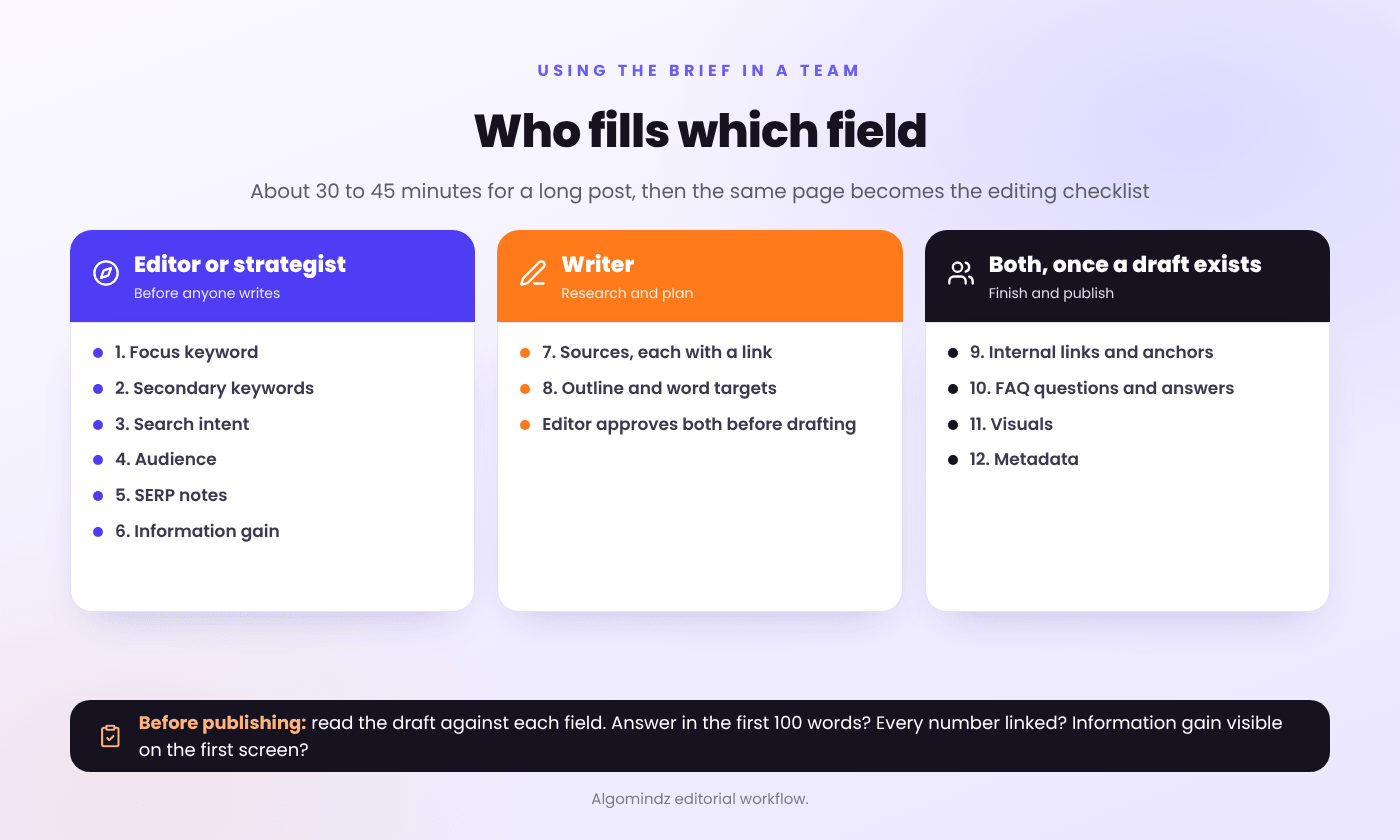
Plan about 30 to 45 minutes for the brief on a long post. That sounds like a lot until you compare it with a rewrite. Then use the same page as the editing checklist: when the draft arrives, read it against each field and ask whether the answer is in the first 100 words, whether every number links to a source, and whether the information gain is visible within the first screen. A brief only earns its time if someone checks the draft against it, so make that review a fixed step before publishing.
Mistakes to Avoid When You Brief Writers
- Skipping information gain. Without it, you pay for a rewrite of existing results.
- Briefing a keyword, not a question. Give the reader's question and the format they expect.
- Letting the writer find the sources. Review them before drafting, so you catch weak ones early.
- No word targets. Sections drift and the post ends up long and thin.
- Briefing in a chat message. A one-page document survives staff changes. A WhatsApp thread does not.
Want briefs like this written for your blog, or posts built from them? Tell us about your content plan, or see what structured content did for other brands first.
Want more of our work in your Google results?
Frequently asked questions
At minimum: a focus keyword, search intent, audience, a summary of what top results cover and miss, the one thing your post adds, linked sources, an outline with word targets, internal links, FAQ questions and metadata. Our template has 12 fields and fits on one page.

Comments
No comments yet. Be the first to share your thoughts.